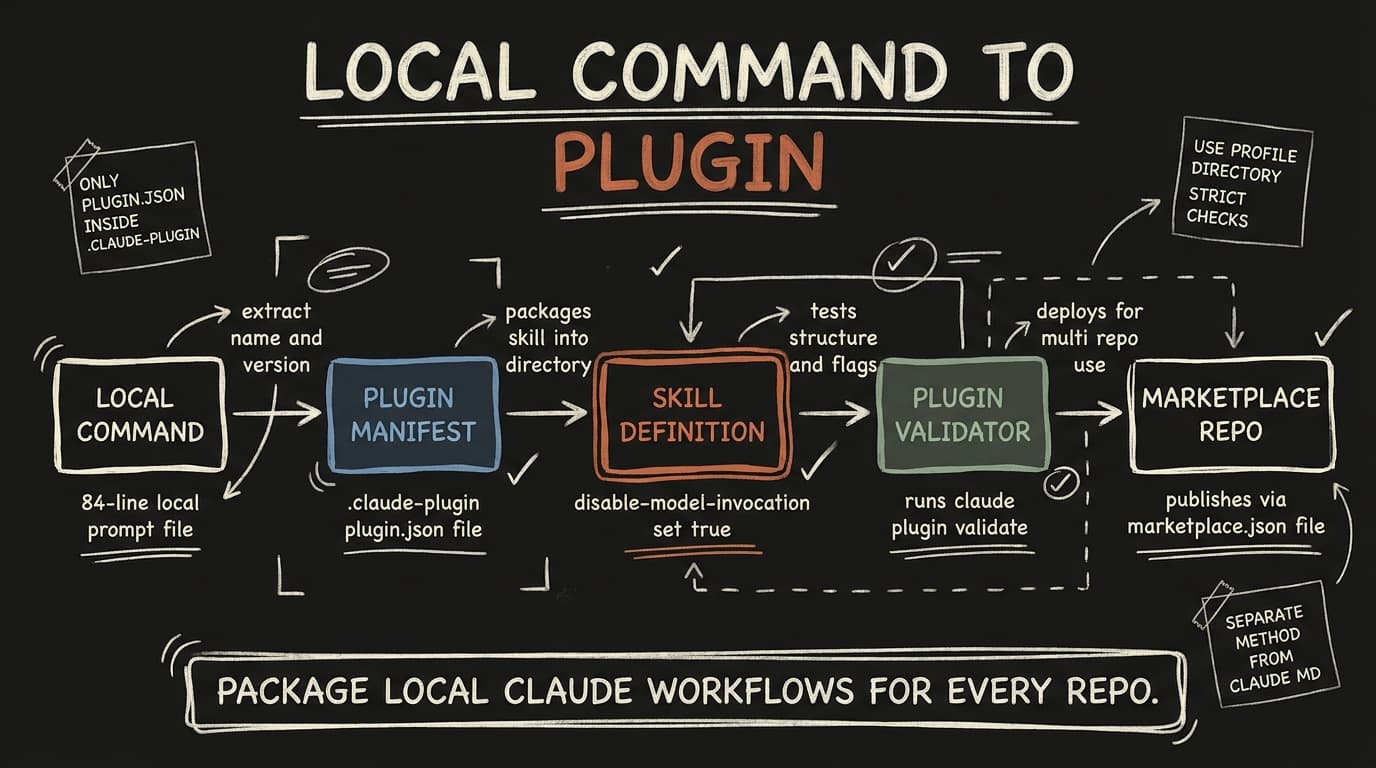
Every post on this blog starts with /build-log, an 84-line prompt in .claude/commands/build-log.md that reads my git history, researches the topic and drafts an MDX post. It only works inside this one repo. A Claude Code plugin fixes that: you package the workflow once and use it everywhere.
Here's how I turned it into a plugin. Each step is the real thing I ran.
Step 1: Decide if you actually need a plugin
Skills, subagents, hooks and MCP servers all work without a plugin. A plugin just packages them as one installable unit.
- One repo, only you → keep it in
.claude/. - Several repos, teammates, or versioned releases → make a plugin.
I want /build-log in my other projects, so a plugin made sense.
Step 2: Create the plugin structure
build-in-public/
├── .claude-plugin/
│   └── plugin.json      ← only the manifest goes in here
└── skills/
    └── build-log/
        └── SKILL.md
Gotcha: only plugin.json goes inside .claude-plugin/. If you put skills/ in there, the plugin loads with no skills and doesn't report an error.
Step 3: Write plugin.json
{
  "name": "build-in-public",
  "description": "Draft build-log posts for an MDX blog from recent git work",
  "version": "0.1.0",
  "author": { "name": "Suryansh" }
}
name is the only required field, and it can't contain spaces. It also becomes the prefix for every skill in the plugin.
Step 4: Turn your command into a skill
The old commands/ format still works, but new plugins should use skills/<name>/SKILL.md. I moved my prompt across and added this frontmatter:
---
name: build-log
description: Draft a new build-log blog post from your recent work
argument-hint: <optional topic>
disable-model-invocation: true
---

You are writing a build-log blog post. The requested topic is: **$ARGUMENTS**
...$ARGUMENTSworks the same as it did in the command.disable-model-invocation: truestops Claude from running the skill on its own. It also keeps the skill out of the context Claude reads on every turn. Every enabled plugin adds to your context in every session, so only let Claude auto-invoke a skill if it really needs to.
Step 5: Validate and test locally
You don't need a marketplace to test a plugin:
claude plugin validate ./build-in-public
claude --plugin-dir ./build-in-public
In the session, the command is now /build-in-public:build-log. The plugin-name prefix is what lets the old /build-log keep working while you migrate. After editing files, run /reload-plugins.
What broke: validation printed ✔ Validation passed and exited 0, even with --strict. But just above that it said Anthropic's plugin directory would reject the plugin:
✘ README.md: README missing (README_MISSING)
✘ LICENSE: License missing (LICENSE_MISSING)
⚠ plugin.json icon: No icon (ICON_MISSING)
To make those checks fail the run, use --profile directory. Read the output, not just the exit code.
Step 6: Strip out what's personal
No validator catches this one. My SKILL.md mentioned my name, my blog setup and my MacGet URL about ten times. A plugin like that is just my own config in a different folder.
How I'm splitting it:
- Plugin: the method. Research first, ground the post in
git log, don't invent experience, include a "what broke" section, hand off for review. - Project
CLAUDE.md: the facts. Whose voice, where posts live, which links to use. Claude Code loads this file anyway, so the skill can just point to it.
It's the same idea as in MCP servers vs agent skills: what you hand the model is the integration.
Step 7: Share it through a marketplace
A marketplace is just a repo with .claude-plugin/marketplace.json:
{
  "name": "suryansh-plugins",
  "owner": { "name": "Suryansh" },
  "plugins": [
    { "name": "build-in-public", "source": "./plugins/build-in-public" }
  ]
}
Anyone can then install it:
claude plugin marketplace add <owner>/<repo>
claude plugin install build-in-public@suryansh-plugins
Two rules:
- Keep the entry
namethe same as thenameinplugin.json. - Write
sourcepaths from the marketplace root, and never use...
If you're moving hooks out of .claude/settings.json, delete the originals afterwards. Hooks have no prefix, so a copied hook runs twice.
What's next
The plugin validates and loads, but I haven't published it yet. Next: remove the personal details, add a README and an MIT license, and run claude plugin eval to check it still drafts posts that pass my review. Then it goes into a public marketplace repo.
If you've packaged your own workflow as a plugin, how did you separate the method from your personal setup? That's the part I'm least sure about.
This is a build log — I'm building these in public. Follow along on X or grab MacGet.